Free AI Travel Video Generator
Cinematic destination clips and trip recap reels — for travel creators, hotels, and agencies.
Make a travel reel — freeFirst effect freeAbout 1–2 min
Make one about you

Hug your younger self
A child version of you walks in. You hug. Everyone cries.

Best friends reunion
You spot each other across the marina. High five.

Arrive over Dubai
Rooftop at sunset, Burj Khalifa behind you, drone pulling back.
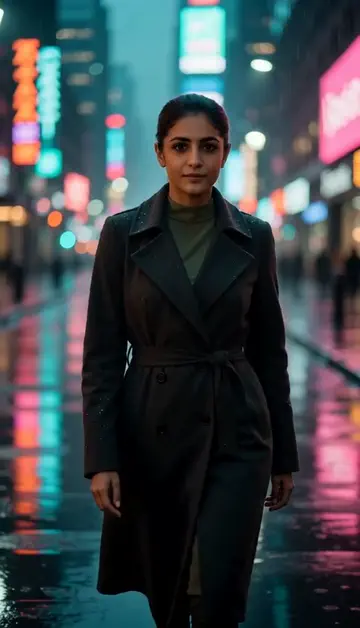
Neon night walk
Rain-soaked street, neon reflections, slow motion.
Try one of these descriptions
Aerial drone shot of golden Dubai desert dunes at sunset, lone camel caravan silhouette, warm orange sky, cinematic 4K.
Use this description
Slow drone pan over vibrant green Bali rice terraces at golden hour, mist rising, traditional thatched roofs, tropical mountains in background.
Use this description
Sparkling Eiffel Tower at night with light show, slow camera pull-back from across the Seine, romantic Paris atmosphere, cinematic.
Use this description
High-angle slow-motion shot of Shibuya crossing at night, neon billboards, sea of umbrellas in rain, cinematic Tokyo vibe.
Use this description
Drone shot pulling back from a luxury overwater villa, turquoise Maldives lagoon, palm-tree island in background, paradise aesthetic.
Use this description
First-person POV walking through a colorful Marrakech souk, spice stalls, hanging lamps, locals bargaining, dynamic camera movement.
Use this description
Any destination
From Dubai to Tokyo to remote islands — describe it, Peeka renders it
Drone-style shots
Aerial reveals and pans without renting equipment or permits
All formats
9:16 for Reels/TikTok, 16:9 for YouTube travel vlogs
Hotel/agency-ready
Commercial-use license. Brand-safe outputs for marketing.
Common questions
Will the destination look authentic?
Can travel agencies use this commercially?
What about people in scenes?
Do I need an account to try it?
Can I use a photo of my face?
How long does a clip take?
Can I use my clips commercially?
No subscription. Credits never expire.