Free AI Photographer Portfolio Reel Maker
Turn your photo portfolio into a cinematic showreel — for Instagram, websites, and client pitches.
Make a portfolio reel — freeFirst effect freeAbout 1–2 min
Make one about you

Hug your younger self
A child version of you walks in. You hug. Everyone cries.

Best friends reunion
You spot each other across the marina. High five.

Arrive over Dubai
Rooftop at sunset, Burj Khalifa behind you, drone pulling back.
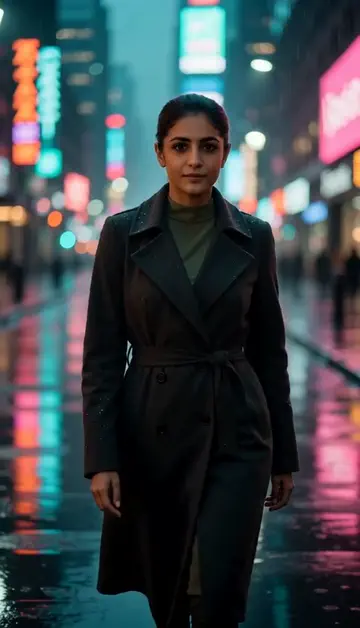
Neon night walk
Rain-soaked street, neon reflections, slow motion.
Try one of these descriptions
Static fashion photo gradually animating — subject's hair starts moving, eyes blink, slight breeze through clothing, photo-to-motion magic, slow elegant transition.
Use this description
Subject in a moody studio portrait shot slowly rotating, dramatic single light source, deep shadows, fashion magazine aesthetic, cinematic.
Use this description
Photographer adjusting camera on a tripod in a sunlit studio, model preparing in background, soft natural light, candid creative process moment.
Use this description
Photographer guiding a model through poses on a beach at golden hour, casual creative direction, wind blowing hair, cinematic warm aesthetic.
Use this description
Slow cinematic zoom into a professional camera with intricate lens detail, soft studio light reflecting off body, premium gear aesthetic.
Use this description
Time-lapse of a photographer at a sleek dark workstation editing photos on a large screen, color grading in progress, focused creative process.
Use this description
Photo-to-motion
Make your stills move — bring portfolio life on social
Style-matched
Cinematic, fashion, editorial, documentary — match your brand
Client-pitch ready
Hero clip for your website, IG bio link, proposal decks
Up to 5 takes
Make up to 5 takes at once and keep the one that fits your look
Common questions
Will it look like my actual photos?
Can I use this for wedding photographer reels?
What about commercial use for client deliverables?
Do I need an account to try it?
Can I use a photo of my face?
How long does a clip take?
Can I use my clips commercially?
No subscription. Credits never expire.