Free AI Birthday Video Generator
Make a personalized birthday surprise from one photo — perfect for sharing or pranking.
Make a birthday surprise — freeFirst effect freeAbout 1–2 min
Make one about you

Hug your younger self
A child version of you walks in. You hug. Everyone cries.

Best friends reunion
You spot each other across the marina. High five.

Arrive over Dubai
Rooftop at sunset, Burj Khalifa behind you, drone pulling back.
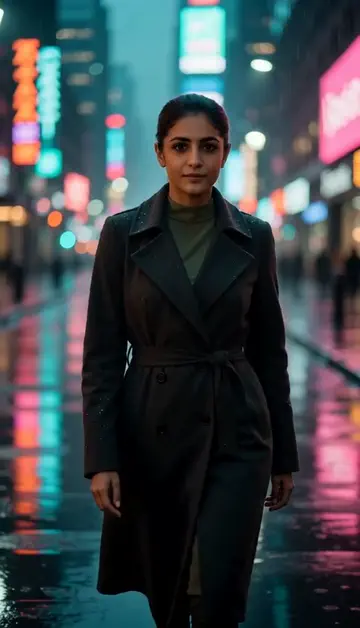
Neon night walk
Rain-soaked street, neon reflections, slow motion.
Try one of these descriptions
Beautiful birthday cake with lit candles being placed on a dining table, soft warm lighting, balloons in background, cinematic slow-motion reveal.
Use this description
Colorful confetti and balloons falling from above in slow-motion, festive party atmosphere, bright colors, joyful explosion, cinematic 4K.
Use this description
Close-up of someone blowing out birthday candles, candles flickering then extinguishing, smoke rising, warm candlelight, intimate magical moment.
Use this description
Group of friends jumping out yelling "Surprise!" with confetti and balloons, dramatic camera reveal, party hats, joyful celebration, warm indoor lighting.
Use this description
Joyful kids birthday party with colorful balloons, cake, party hats, kids laughing and playing, bright sunny indoor lighting, cheerful atmosphere.
Use this description
Elegant birthday celebration with champagne toast, "Happy 30th" decor, soft string lights, friends laughing, golden hour lighting, sophisticated mood.
Use this description
Personalized
Upload their photo, write their name, get a unique surprise clip
Sound included
Celebration sound that fits the scene — or turn it off
WhatsApp-ready
Vertical formats made to share to chats and stories
No design skills
Describe the vibe, Peeka renders the celebration
Common questions
Can I add the birthday person's photo?
Can I add their name to the video?
Best length for a WhatsApp birthday surprise?
Do I need an account to try it?
Can I use a photo of my face?
How long does a clip take?
Can I use my clips commercially?
No subscription. Credits never expire.