Free AI Online Course Promo Video Maker
Course launch trailers, lesson previews, and lead-magnet teasers — for educators and coaches.
Make a course trailer — freeFirst effect freeAbout 1–2 min
Make one about you

Hug your younger self
A child version of you walks in. You hug. Everyone cries.

Best friends reunion
You spot each other across the marina. High five.

Arrive over Dubai
Rooftop at sunset, Burj Khalifa behind you, drone pulling back.
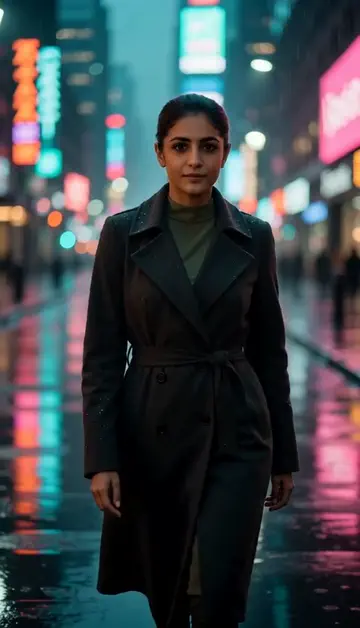
Neon night walk
Rain-soaked street, neon reflections, slow motion.
Try one of these descriptions
Slow cinematic zoom into a sleek laptop on a wooden desk displaying an online course dashboard, soft window light, coffee mug, motivated learner aesthetic.
Use this description
Friendly instructor sitting in a bright modern studio gesturing welcomingly toward camera, professional but approachable, course intro aesthetic, soft three-point lighting.
Use this description
Top-down view of hands drawing concept maps on a chalkboard with chalk dust floating, organized notes, educational aesthetic, time-lapse feel.
Use this description
Person studying at home with sudden expression of insight — eyes lighting up while looking at laptop screen, soft warm room lighting, learning breakthrough moment.
Use this description
Dramatic countdown numbers (5, 4, 3, 2, 1) appearing over an abstract dynamic gradient background, dramatic lighting transition, launch teaser aesthetic.
Use this description
Top-down flat lay of an online learning workspace — laptop, notebook, coffee, plant, headphones, neutral aesthetic, study session vibe.
Use this description
Course-launch ready
Trailers for course landing pages, Teachable, Kajabi, Thinkific
Ad creative engine
Make up to 5 takes for Meta and TikTok course ads and test which converts
No film studio needed
Solo creators can produce promo videos that look like agency work
Captions and end card
A Studio ad adds exact captions and your course link or contact on the end card
Common questions
Can I use an instructor stand-in?
Best aspect ratio for Meta ads?
How long should a course promo be?
Do I need an account to try it?
Can I use a photo of my face?
How long does a clip take?
Can I use my clips commercially?
No subscription. Credits never expire.